Oct 18, 2026 · 13 min read
Getting the right reference to the image model
TL;DR: Telling an image generator which reference picture is which turned out to be a UX problem. The reliable way is an index: put the references in order, then describe each one by its number in the prompt. It works every time, but keeping the index up is a chore, especially on an iPad. We looked for something lighter and found:
- The model never sees your file names, so naming the files does nothing.
- A name drawn into the picture, in a frame, is respected. In Muse it held on four different models, 15 times out of 16.
- The model also reads what's in each picture, and that beats a label that's wrong.
- So a label works when it matches the picture, or when it's an abstract name that means nothing on its own.
- The labels and frames don't end up in the picture: none of 16 renders drew them.
- In Muse it's one switch, Labeled: every reference goes out framed with its name, or none does. When the frame isn't enough, turn it off and fall back to the index with a description of each picture.
Today, to send a few pictures to the generator, I first write an index: image 1 is the foundation style, image 2 is the air fleet, image 3 is the sketch we put the style and the fleet on. That's at least three things to put in order and describe before the actual request. On an iPad, with no keyboard, it is a real chore.
We had two ideas. The first and cheapest: name the files well ("foundation style", "air fleet", "sketch") and write the prompt the way a person would, saying "the fleet" and "the style card", and let the names tell the generator what is what. The second: wrap each picture in a frame with its name, and maybe a short description, drawn into the image itself. We started with the first one. Most of the experiments ran on Codex's image tool; Muse was then used to confirm the frames on GPT Image 2.5 Flare, Nano Banana 2.1, MAI-Image-2.6 Flash and Meta Muse Image.
A first test that couldn't fail
We took a Rift City still made the old way, with a numbered legend, and rendered it again with the numbers replaced by names: the same four pictures, the same scene, the prompt saying "the air fleet" and "the sketch" instead of "image 4" and "image 2". Then once more with the pictures sent in a different order. All four renders kept every picture in its role.
That looked like a win, but it proved nothing. The four pictures look nothing alike: a sheet of craft, a sketch of white blocks, a painting, a city aerial. The model could tell them apart by looking at them, names or no names.
Can it see the name at all?
So we asked directly. One reference, a character sheet of a boy, saved as zebra-umbrella-42.png, and the prompt: the boy holds a sign with this reference image's file name written on it.
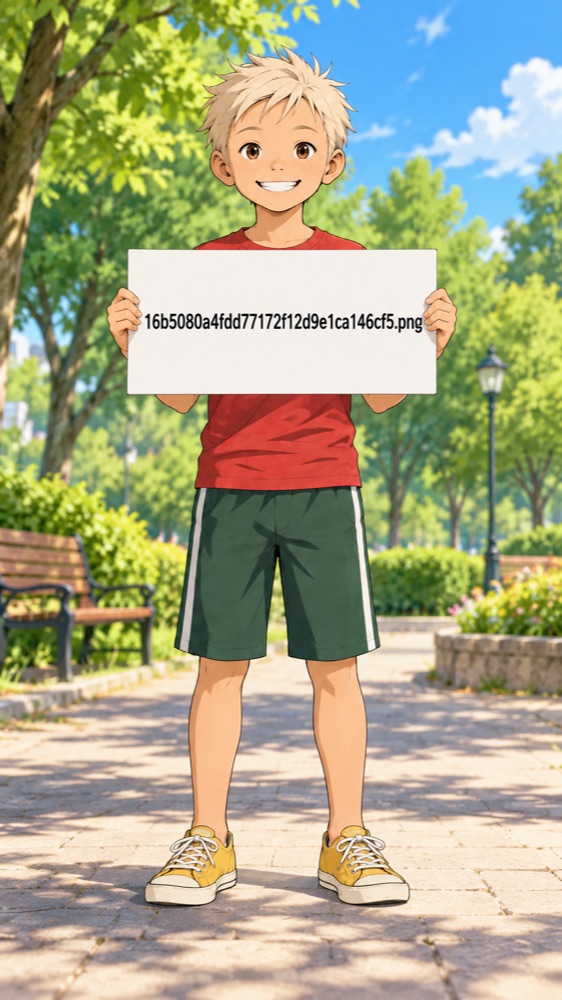
zebra-umbrella-42.png. The sign reads 16b5080a4fdd77172f12d9e1ca146cf5.png.The model does see a file name, just not ours. Both renders wrote a 32-character code, a different one each time for the same file, and neither is the file's checksum. Somewhere between our call and the model, each reference is uploaded again under a fresh random name. Whatever we call the file is gone before the model reads anything.
Two kids, one bench
The case that hurts is two pictures of the same kind, where only the name can tell them apart. We used two character sheets, Max (blond, red T-shirt) and Pav (dark hair, yellow shirt), with one prompt for every render: "Max sits on the bench on the left holding a green kite. Pav stands on the right, waving."
We changed two things: what the files were called (right names, swapped names, no names at all, or the old numbered legend) and which picture was sent first. A separate judge looked at each render without knowing how it was made and said who was on the bench.
| Setup | Max's picture sent first | Pav's picture sent first |
|---|---|---|
| Right names | 2 of 2 right | 0 of 2 right |
| Swapped names | 2 of 2 right | 0 of 4 right |
| No names | 2 of 2 right | 0 of 2 right |
| Numbered legend | 2 of 2 right | 3 of 3 right |
Without numbers, the kid on the bench was always the one whose picture went first, whatever the files were called. The model pairs the first name in the prompt with the first picture. Only the numbered legend got it right both ways.
 Right names, Max's picture first: Max on the bench. Right.
 Right names, Pav's picture first: Pav on the bench. Wrong.
 Numbered legend, Pav's picture first: Max on the bench. Right.
When the words describe the pictures
The kids are a hard case on purpose: "Max" and "Pav" say nothing about what's in either picture. So we ran the opposite case. Two vehicle sheets, one of passenger craft and one of freight haulers, and the prompt: "Craft from the passenger fleet fly above the arch; craft from the freight fleet are parked in a row on the plaza." Then we called the files by the right names and by swapped ones, and sent each sheet first in turn.
All eight renders parked the haulers and flew the passenger craft. Swapped names changed nothing, and neither did the order. When the prompt's words describe what the pictures show, the model matches by looking.
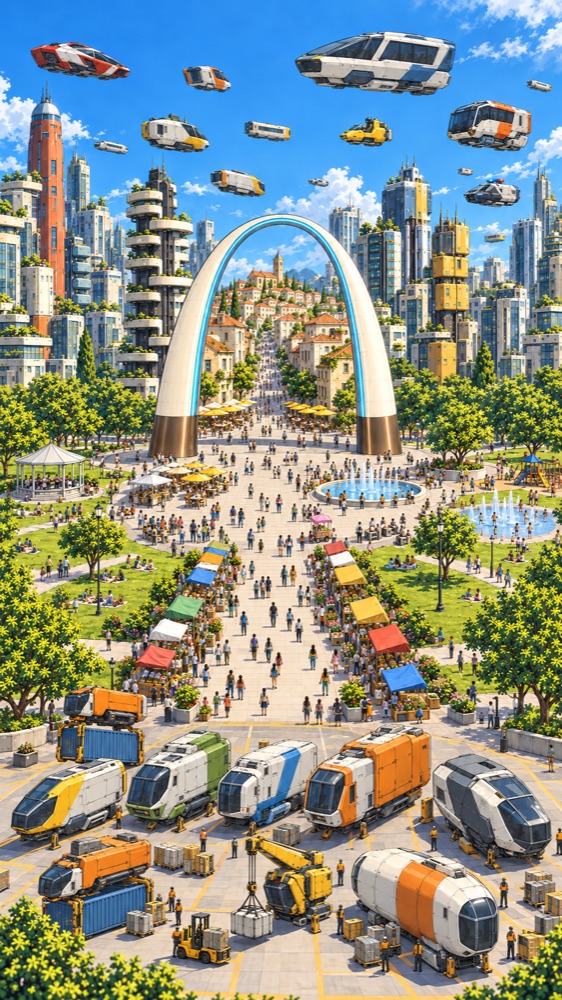
freight fleet.png, and the freight sheet passenger fleet.png. The haulers are parked anyway.So we can't count on the file name. It belongs to the chain, not to us, and any step can drop it or replace it. The model goes by the pictures when the words describe them, and by the order when they don't.
Names drawn into the picture
That left the second idea: put the name where nothing in the chain can strip it, in the pixels. Each picture got a dark frame with its name on a bar above it, and the prompt one more line, the kind an app can add on its own: each reference image shows its name on a label, and the labels and frames are not part of the picture. Same two kids, same bench, and again the labels right and swapped, each picture sent first in turn.
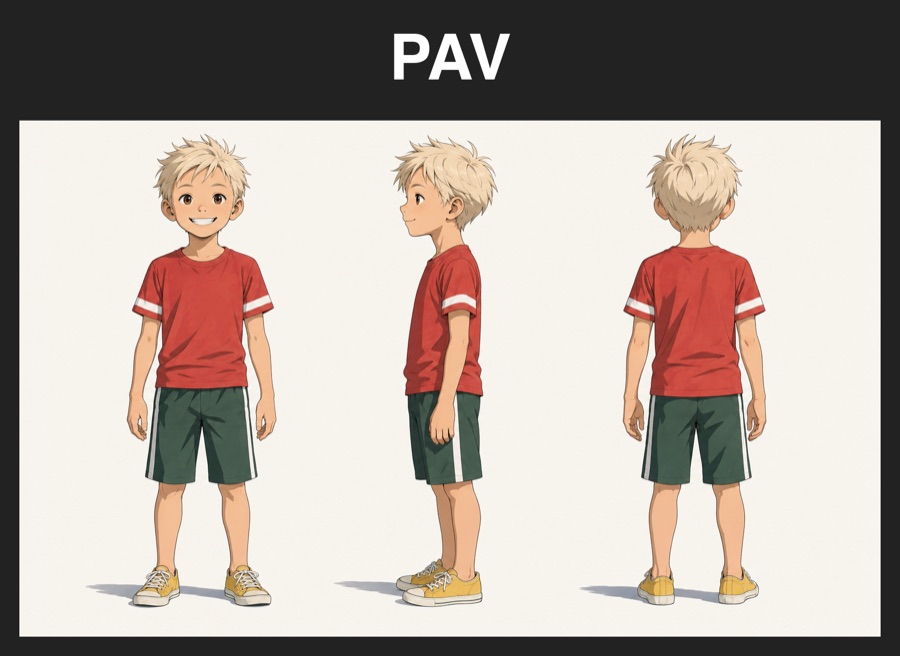 Max's picture, labeled PAV
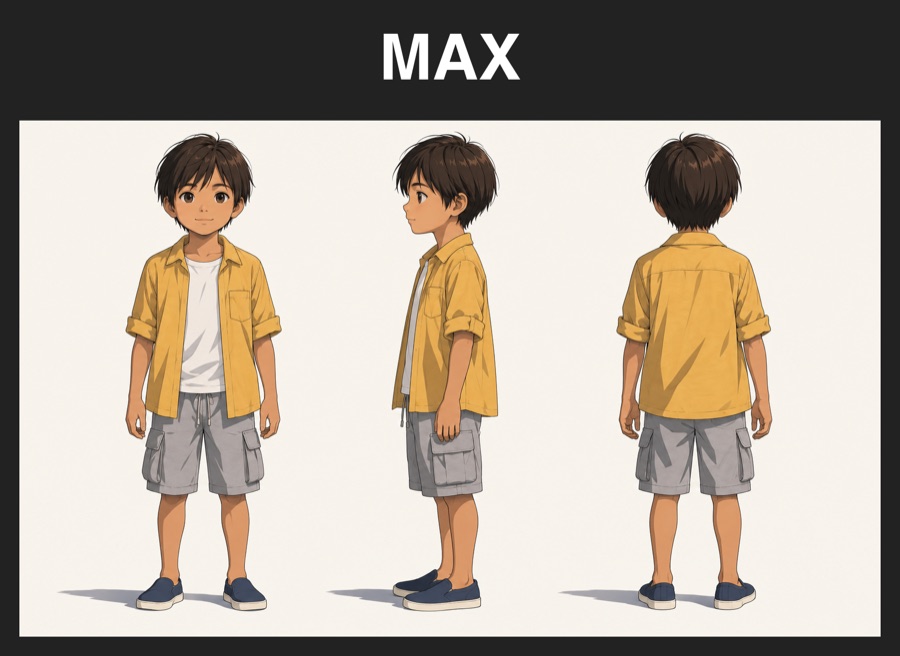 Pav's picture, labeled MAX
All nine renders put the kid labeled MAX on the bench, in both orders. With the labels swapped, that's the kid in the yellow shirt: the model read the label and ignored the order. None of the renders drew a label, a frame or any text into the scene.
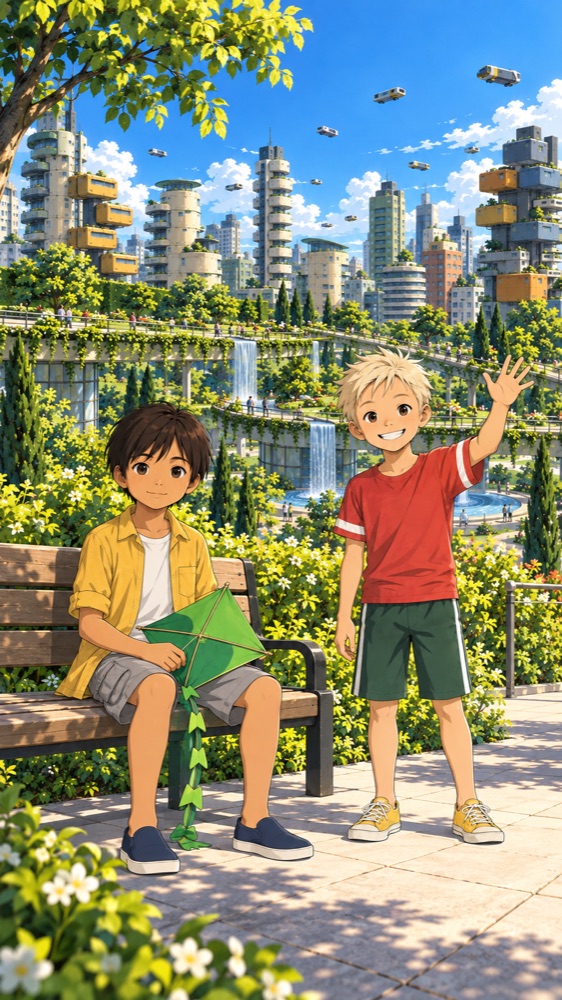
| Setup | Max's picture sent first | Pav's picture sent first |
|---|---|---|
| Frames right | 2 of 2 follow the label | 3 of 3 follow the label |
| Frames swapped | 2 of 2 follow the label | 2 of 2 follow the label |
A name drawn into the picture travels with it through every step, and the model reads it. That is the first way of naming references that held in both orders without a numbered legend.
The same frames in Muse, on four models
All of that was one model, Codex's image tool. So we sent the same framed kids through Muse itself, on the live site, to four image models: GPT Image 2.5 Flare and Nano Banana 2.1 through fal, MAI-Image-2.6 Flash and Meta Muse Image through OpenRouter. Muse sends its references as a plain list of pictures with no names attached, so the frames are the only names the model gets. Two renders per model per setup, the same prompt, judged blind again.
| Model | No labels, Pav's picture first | Labels swapped, Max's picture first | Labels right, Pav's picture first |
|---|---|---|---|
| GPT Image 2.5 Flare | order 2 of 2 | label 2 of 2 | label 1 of 2 |
| Nano Banana 2.1 | order 2 of 2 | label 2 of 2 | label 2 of 2 |
| MAI-Image-2.6 Flash | order 2 of 2 | label 2 of 2 | label 2 of 2 |
| Meta Muse Image | order 2 of 2 | label 2 of 2 | label 2 of 2 |
Without labels, every model seated whoever came first, 8 of 8. With labels, in the two setups where the label and the order point at different kids, the label won 15 of 16. The one miss was Flare, which seated Pav once with Max's picture correctly labeled MAX.
 Nano Banana 2.1, labels swapped, Max's picture first: the kid labeled MAX is on the bench. Label.
 MAI-Image-2.6 Flash, labels right, Pav's picture first: Max on the bench. Label.
 GPT Image 2.5 Flare, labels right, Pav's picture first: Pav on the bench. The miss.
Other kinds of pictures
Two kids on a bench is one scene. So, back on Codex, we tried three kinds of references from our own Rift City cards, two pictures each, every name made up: two places (Vell Square and Ossa Gardens), two craft (the Kestrel and the Orbis), and two characters (Pim and Taro). Each prompt asks for one of the two by name. Each pair ran with the labels right and the other picture sent first, and with the labels swapped and the asked-for picture sent first.
| Kind | Labels right | Labels swapped |
|---|---|---|
| Characters | 2 of 2 follow the label | 2 of 2 follow the label |
| Craft | 2 of 2 follow the label | 2 of 2 follow the label |
| Places | 4 of 4 follow the label | 0 of 4 follow the label |
| Places, abstract names | 2 of 2 follow the label | 2 of 2 follow the label |
With the labels right, the model drew the picture the prompt named, 10 of 10, against the order every time. With the labels swapped, characters and craft still went by the label. Places didn't: every render drew the arch plaza, whatever its label said.
The model reads what the label means
The place names did it. "Vell Square" sounds like the plaza and "Ossa Gardens" like the green deck, so with the labels swapped the model met a prompt that asked for a square and a label that called the gardens a square, and it went with the square, fixing our wrong labels for us. We ran the same two pictures again under names that mean nothing, Kesh and Tolvar. Now the label won both ways: with the labels swapped, asked for Kesh, it drew the green deck, because that's the picture labeled KESH.
That's a clue to how the generator reads its references. It doesn't just take the pictures as pixels to copy: it works out from the image data what each one is, a plaza with a market, a garden deck with waterfalls, and then matches the meaning of the names in the prompt against that. The fleets test showed the same thing from the other side. When the meaning of a name and a drawn label point at different pictures, the meaning can win. With abstract names there's nothing to fix, so the model uses the labels the way we give them. That's not really a bug; it's more a feature of some generator models.
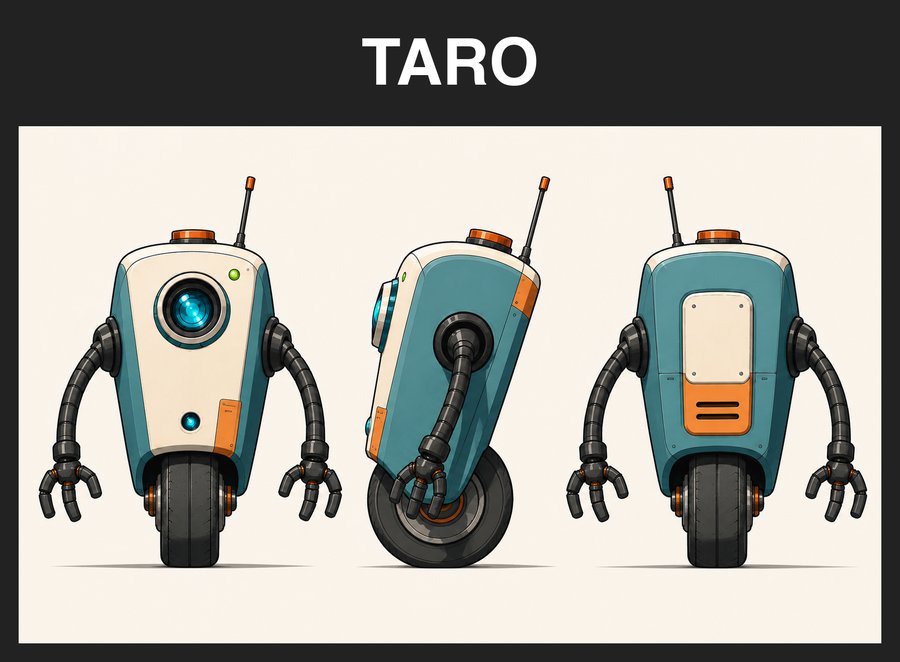 Sent first: the robot, labeled TARO
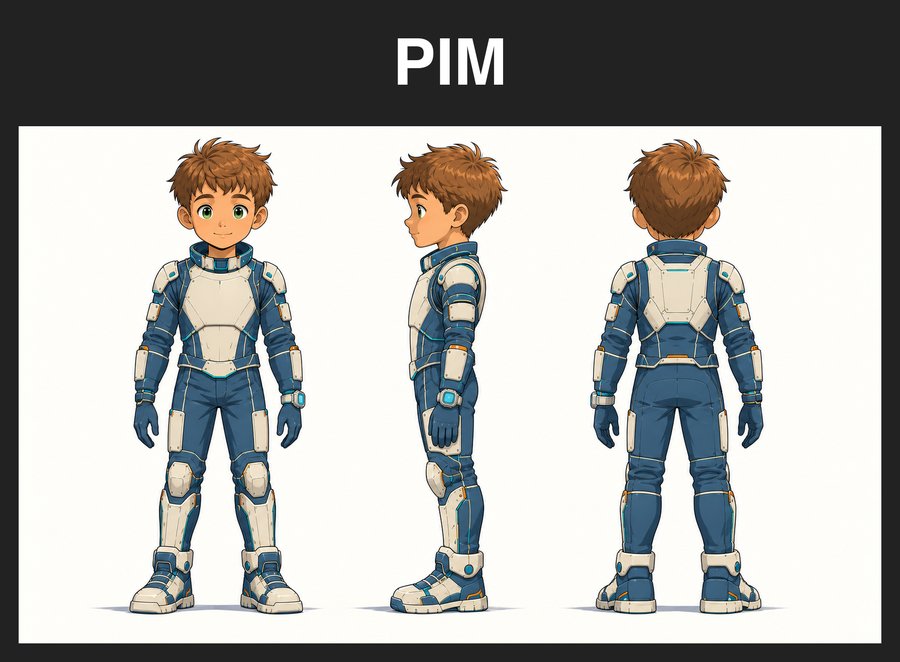 Sent second: the boy, labeled PIM
 Asked for Pim: the boy. Label.
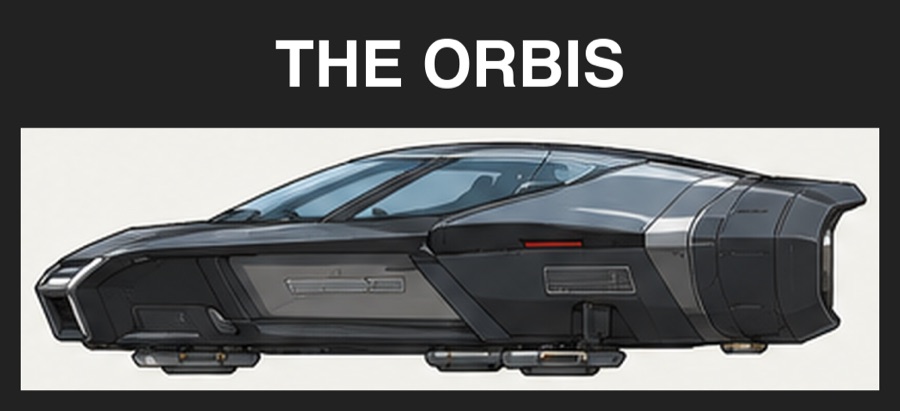 Sent first: the black coupé, labeled THE ORBIS
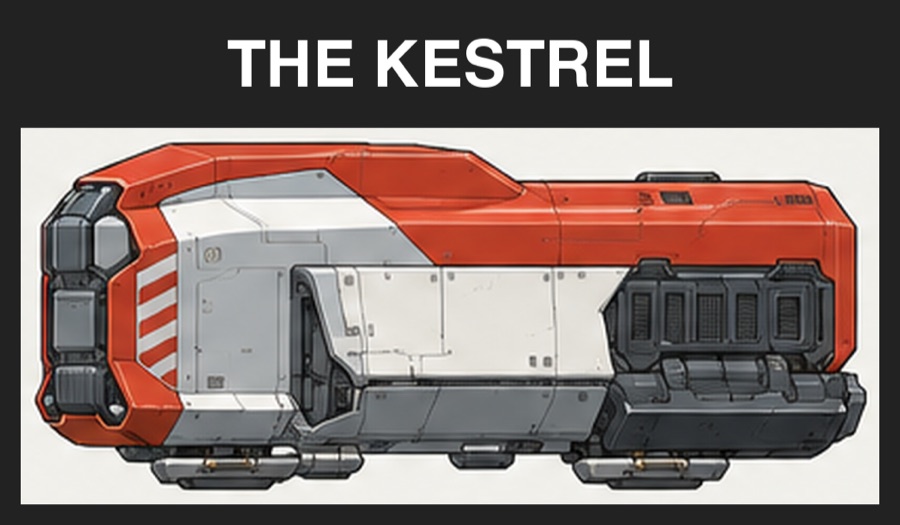 Sent second: the red shuttle, labeled THE KESTREL
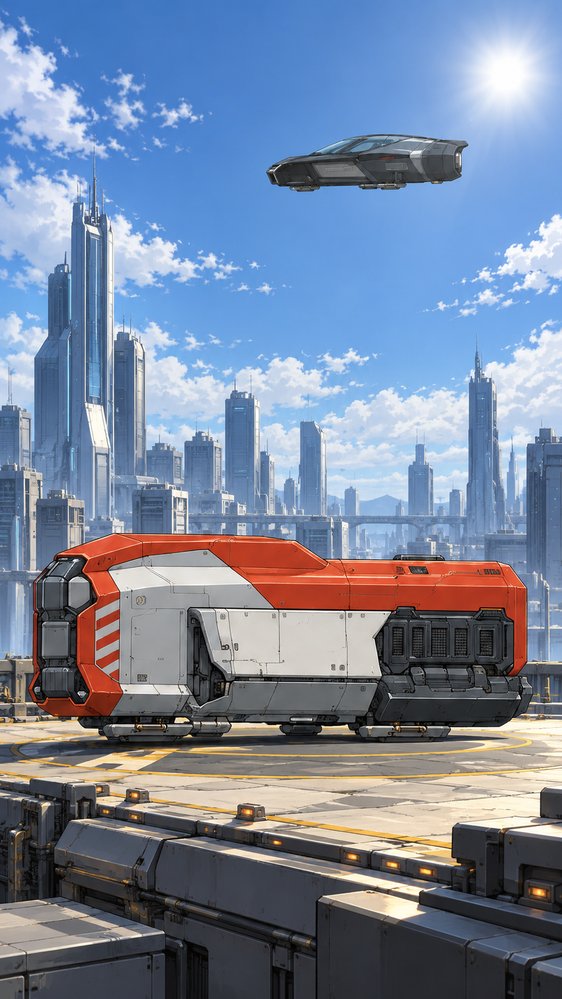 Asked for the Kestrel parked: the red shuttle. Label.
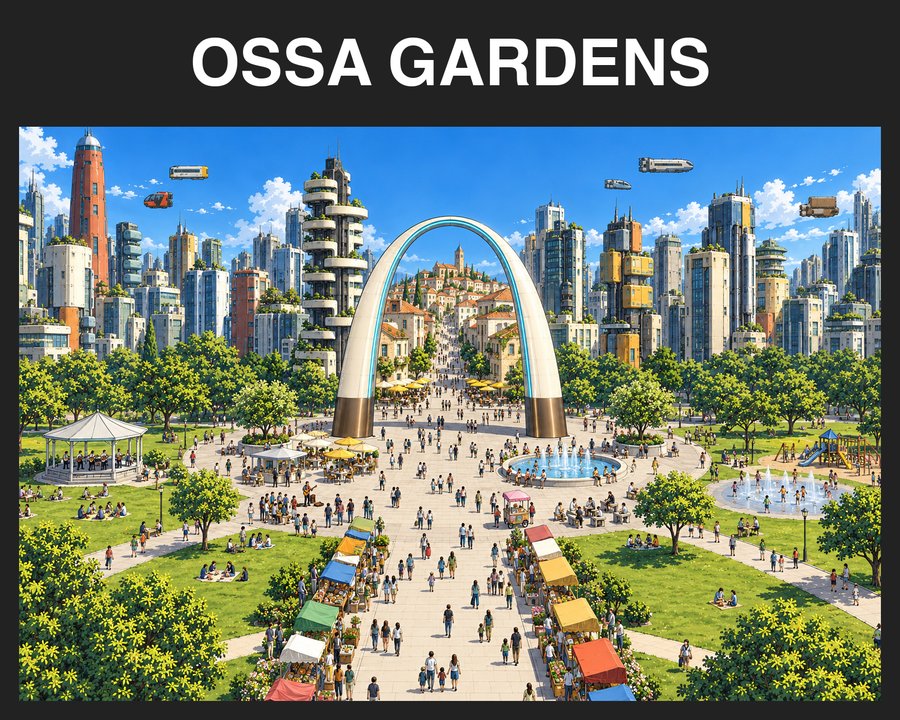 Sent first: the arch plaza, labeled OSSA GARDENS
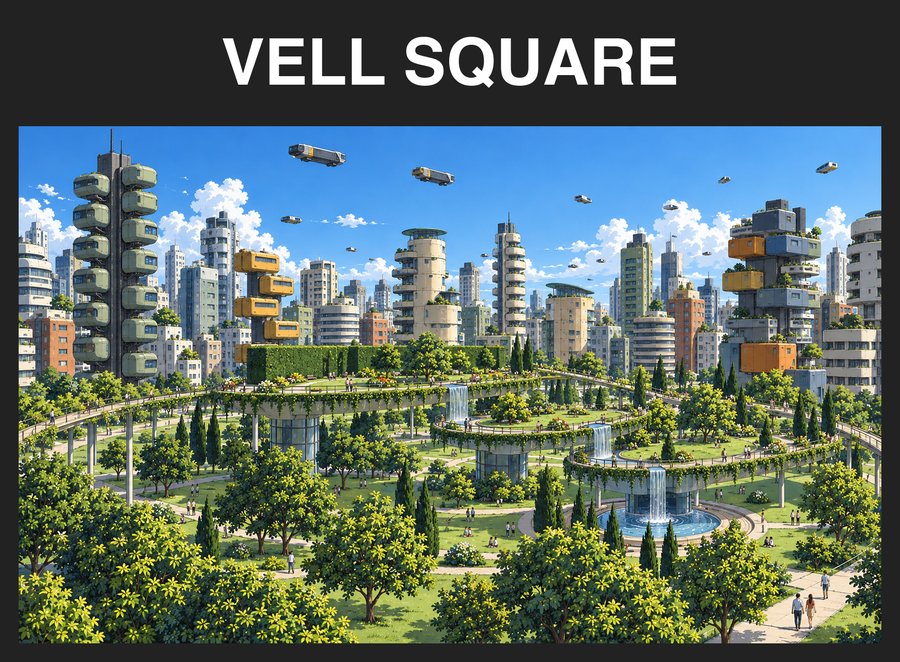 Sent second: the green deck, labeled VELL SQUARE
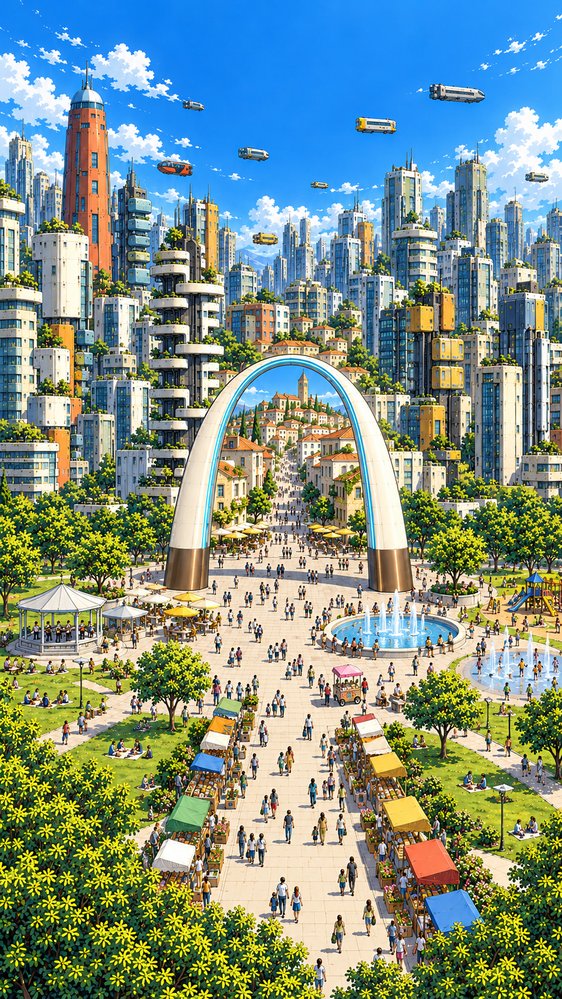 Asked for Vell Square: the arch plaza. Not the label.
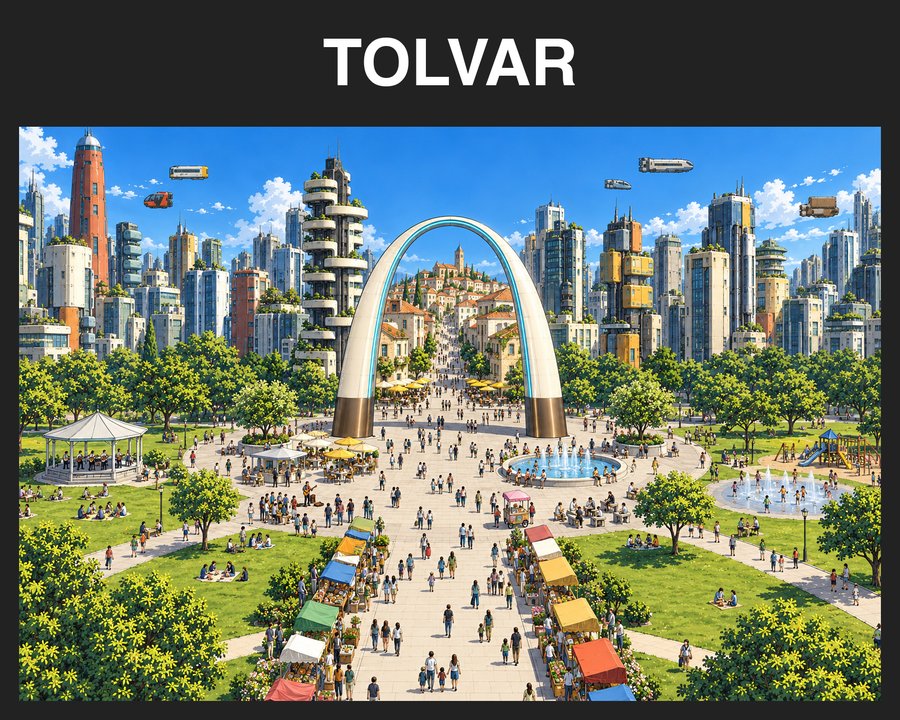 Sent first: the arch plaza, labeled TOLVAR
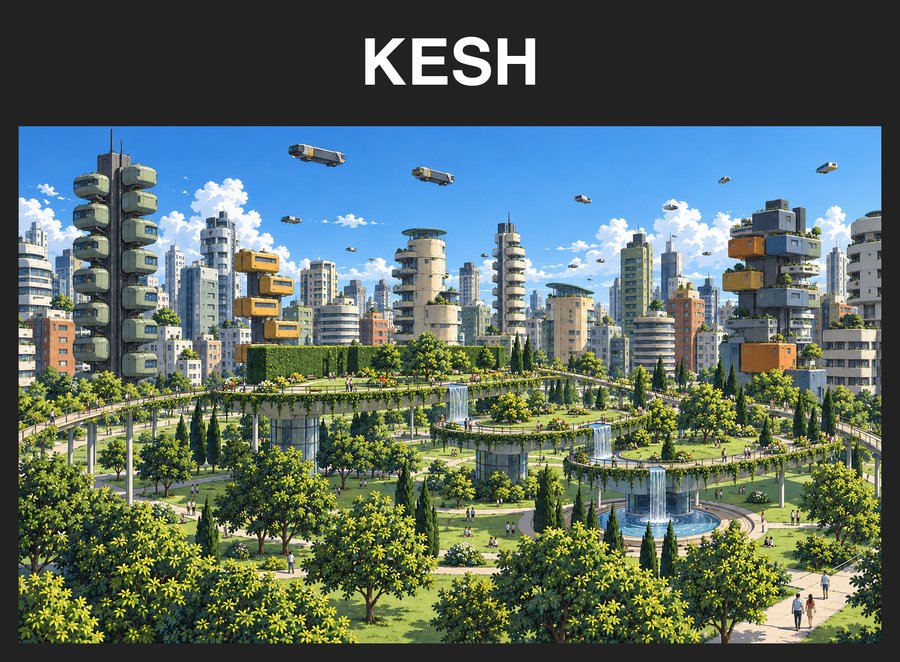 Sent second: the green deck, labeled KESH
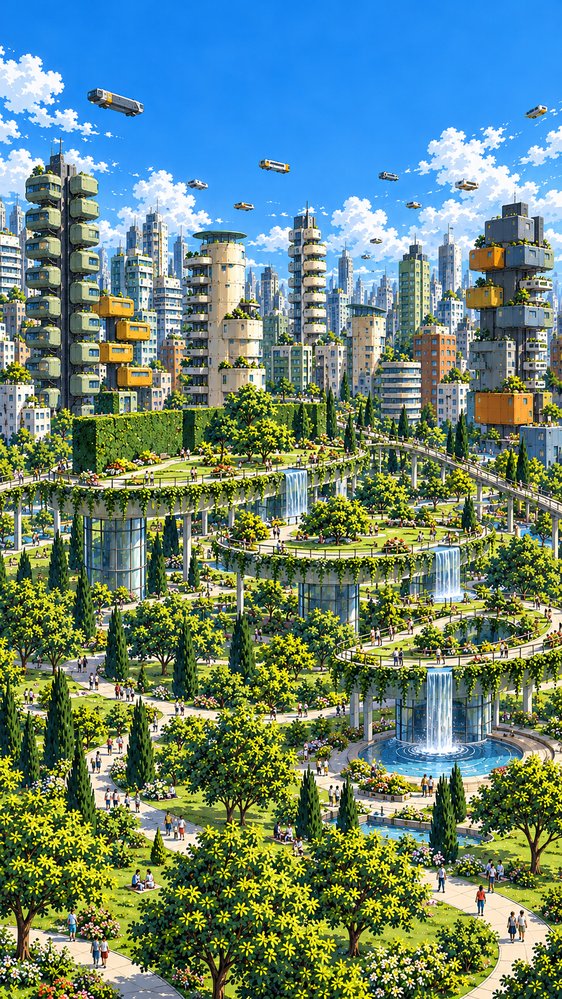 Asked for Kesh: the green deck. Label.
When the labels are right, the label held in every kind we tried. With the labels swapped, it held as long as the names didn't describe the pictures; a name that does describe one can pull the model to that picture. Swapped labels are a test, not something Muse would ever send, but it says what to name things: something that doesn't argue with the picture.
Do the labels end up in the picture?
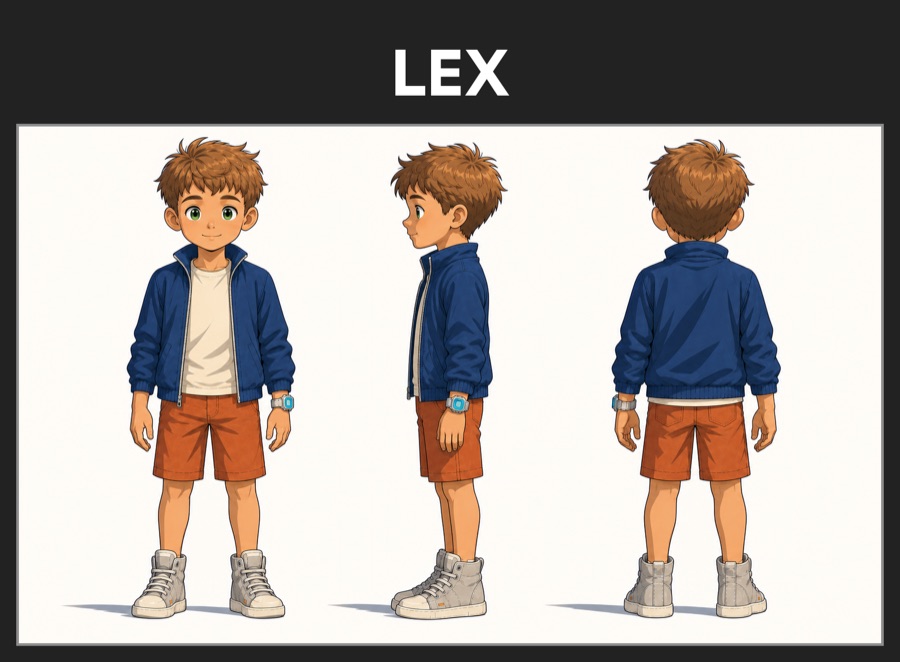
A label is text inside the picture, and an image model copies what it's given. So we checked whether it copies the label too. Lex's character card and the Foundation Style card went to Codex's image tool, both framed, with a prompt for Lex walking down a busy shopping street, a scene that invites signs. Each picture went first in turn, with and without a closing "No text, lettering or signs.", two renders each. The same again with Max made 16 renders, judged blind with every sign, corner and edge enlarged.
None of the 16 drew a label's letters (LEX, MAX, FOUNDATION, STYLE) into the scene, and none drew a frame or a title bar. Every render got the right boy, in every detail. The only readable text in any of them is a café chalkboard, in a Lex render whose prompt didn't ban text.
 Sent: Lex, framed
 Sent: the Foundation Style card, framed
 Prompt ends "No text, lettering or signs."
 Without that line: a café chalkboard, but no LEX
What this can't show is whether the style followed the style card. The character cards are drawn in the same style, so no render can tell.
What Muse does with it
No new node. A generator's Inputs list gets one switch, Labeled. On, every reference picture goes out with its name on a bar above it, in a dark frame; off, they all go plain. It's all or none, because labels only work when every reference carries one: with a mix, the model matches the unlabeled ones by order again. The label is the name of the node the picture comes from, and a dropped max.png is already named "max", so usually there's nothing to type.
Every framed test prompt also opened with a sentence naming the references and ended with "No text, lettering or signs." Neither was tested without, so Muse writes the opening itself:
Two reference images are supplied: Lex and Foundation Style. Each reference image shows its name on a label above it; the labels and dark frames are not part of the picture or its style.
The frame got two fixes on the way. OpenAI says gpt-image-1 shrinks a reference to 512 px on its shortest side. At that size the tested MAX letters were 36 px tall, but the first frame rule dropped to 26 px on a tall 9:16 picture and to 12 px for a long name. The new rule keeps every label between 25 and 74 px at that size: the bar grows with the picture, and long names go to two lines instead of shrinking. And a thin gray line now separates the picture from the frame, because a card with dark edges ran straight into the dark frame and a model couldn't see where the picture stopped. The frame also stays inside each model's own size limit for a reference: Qwen Image takes at most 2048 × 2048, so the picture is scaled down until the whole frame fits.
So the frame works. If for some reason it isn't enough, or doesn't work for your case, turn Labeled off: the index, with a description of each picture in the prompt, is still the bulletproof fallback.